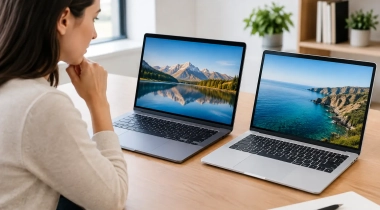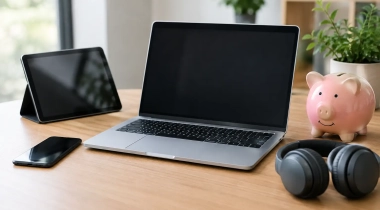
A device that looks great in a coffee shop can still be the wrong choice at 3 p.m. when you are editing a spreadsheet, joining a video call, and trying to send a file before a deadline. Tablet vs laptop work is less about which device is newer and more about how you actually spend your working hours. For Canadian students, remote workers, side-hustlers, and families sharing a home office, the best buy is the one that makes everyday tasks easier without stretching the budget.
Tablet vs Laptop Work: Start With Your Real Tasks
A tablet is built for quick access. It wakes up fast, travels light, and handles reading, browsing, streaming, note-taking, messaging, and casual document edits with very little fuss. Add a keyboard case and stylus, and it can become a compact workstation for lectures, meetings, travel days, or a small apartment where desk space is limited.
A laptop is built for depth. It gives you a full desktop-style operating system, more screen space, easier file management, and a proper keyboard and trackpad from the start. That matters when your work involves several browser tabs, large files, detailed formatting, specialized software, or long writing sessions.
The difference becomes obvious when the task gets complicated. Replying to a few emails on a tablet is pleasant. Managing an inbox, referencing a PDF, updating a budget sheet, downloading attachments, and switching between work accounts can feel cramped. A laptop gives those tasks room to breathe.
That does not make a tablet a lesser choice. If your day is mostly mobile, a laptop can be more device than you need. A tablet fits easily in a backpack, works well in a kitchen, classroom, or waiting room, and can double as an entertainment screen after work. Value is not only about the lowest price. It is also about buying the device you will actually want to carry and use.
When a Tablet Makes More Sense for Work
Tablets shine when portability is the priority. If you commute, move between classes, visit clients, or work in short bursts, the lighter weight is a real advantage. Many models offer excellent battery life, touch controls, front cameras for calls, and bright displays that are easy to use almost anywhere.
They are particularly useful for visual and hands-on work. A stylus can make handwriting notes, marking up documents, sketching ideas, reviewing designs, and signing forms feel more natural than using a mouse. For students, that can mean one device for textbooks, lecture slides, handwritten notes, and video streaming. For creative hobbyists, it can be a simple entry point for drawing and photo touch-ups.
A tablet can also be the smarter budget move if you already own a desktop computer or have access to a shared family laptop. In that setup, the tablet covers portable tasks while the larger computer handles occasional heavy lifting. You avoid paying for a second full workstation that may sit unused most of the week.
Still, check the total price before calling a tablet the bargain option. A keyboard case, stylus, protective cover, extra storage, and adapter can add up quickly. A well-equipped tablet may cost close to a solid everyday laptop, so compare the complete setup rather than the starting price on the box.
When a Laptop Is the Better Work Buy
Choose a laptop when your work depends on multitasking. The familiar combination of a larger display, physical keyboard, trackpad, and flexible ports makes it easier to stay productive for longer sessions. You can keep research open on one side, write in another window, monitor messages, and move files without constantly switching apps.
Laptops are usually the safer option for office work, online courses, bookkeeping, coding, video editing, and detailed creative projects. Many workplace tools are available on tablets, but their mobile versions can have fewer controls or awkward file-handling limits. If an employer, school, or client uses a specific application, confirm that it runs properly before choosing a tablet-only setup.
Typing comfort matters more than shoppers sometimes expect. A detachable tablet keyboard is handy, but it may flex on your lap, feel tight for larger hands, or require a flat surface. A laptop is generally more stable on a couch, at a kitchen table, or during a long study session. That stability can make a big difference when you are writing reports, applying for jobs, or handling back-to-back assignments.
A laptop also gives you more ways to connect. USB accessories, external displays, wired storage, printers, cameras, and presentation gear are typically easier to use. If your work setup needs more than a charger and wireless earbuds, those connections are worth considering early.
Do Not Buy Extra Power You Will Never Use
For many everyday users, a mid-range laptop with enough memory for browser tabs and video calls is a better deal than a premium model designed for gaming or professional editing. Likewise, a tablet does not need top-tier storage if it will mainly be used for notes, email, and streaming.
Think about the next two or three years, not every possible future task. Spending a little more for comfortable storage, dependable battery life, and a good keyboard is often worthwhile. Paying for advanced graphics or maximum performance is only smart if your work genuinely demands it.
Screen Size, Comfort, and Home Setup
Screen size can change your answer quickly. A compact tablet is easy to carry but may feel small for long reading sessions or split-screen work. Larger tablets offer more room, though they lose some of the grab-and-go appeal that makes tablets attractive in the first place.
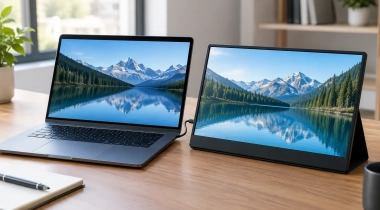
Most laptops offer a more comfortable working canvas, especially around 14 to 16 inches. That space is valuable for spreadsheets, research, presentations, and creative tools. If you work from home most days, even an affordable external monitor can improve a laptop setup far more than upgrading to a higher-priced portable device.
Do not overlook ergonomics. Looking down at a tablet for hours can strain your neck and shoulders. A stand with a separate keyboard can improve the experience, but it turns a simple tablet into a multi-piece setup. A laptop is not automatically ergonomic either, yet it is easier to raise on a stand and pair with a mouse and keyboard when needed.
The Best Choice for Different Work Styles
For students who take handwritten notes, read course material, and want a light device for campus, a tablet with a reliable keyboard can be a strong fit. Students in programs that use coding tools, statistics software, spreadsheets, or desktop-only applications should lean toward a laptop.
For remote professionals, a laptop is usually the dependable all-rounder. It handles video calls, files, multitasking, and long-form communication without accessories becoming a constant consideration. A tablet is a useful companion device for travel, meeting notes, and second-screen reading, but it may not replace the main machine.
For sales teams, real estate professionals, and service providers who present information on the go, tablets have a clear advantage. They are easy to hand across a table, simple to use for forms and visuals, and less bulky than a laptop bag. Just make sure the apps you need work well offline if mobile data or public Wi-Fi is unreliable.
For families, consider who will use the device after work. A tablet can become a shared screen for streaming, recipes, video chats, and casual games. A laptop can support homework, printing, online forms, and household budgeting. The better value may be the option that solves more than one need without causing arguments over screen time.
A Smart Way to Compare Before You Buy
Before browsing popular deals, write down the three tasks you do most often and the one task that frustrates you most. Then ask whether a tablet can complete that frustrating task without a workaround. If the answer is no, a laptop will likely save you time and regret.
Also price the full kit: device, charger, case, keyboard, stylus, adapters, and any storage you may need. At GadgetGuys, the best deals are often the ones that make the complete setup affordable, not simply the lowest sticker price on a single device.
Pick the device that removes friction from your real routine. A tablet can make work feel lighter and more flexible; a laptop can make demanding work feel calmer and faster. The right choice is the one you can open tomorrow morning and get straight to work with.