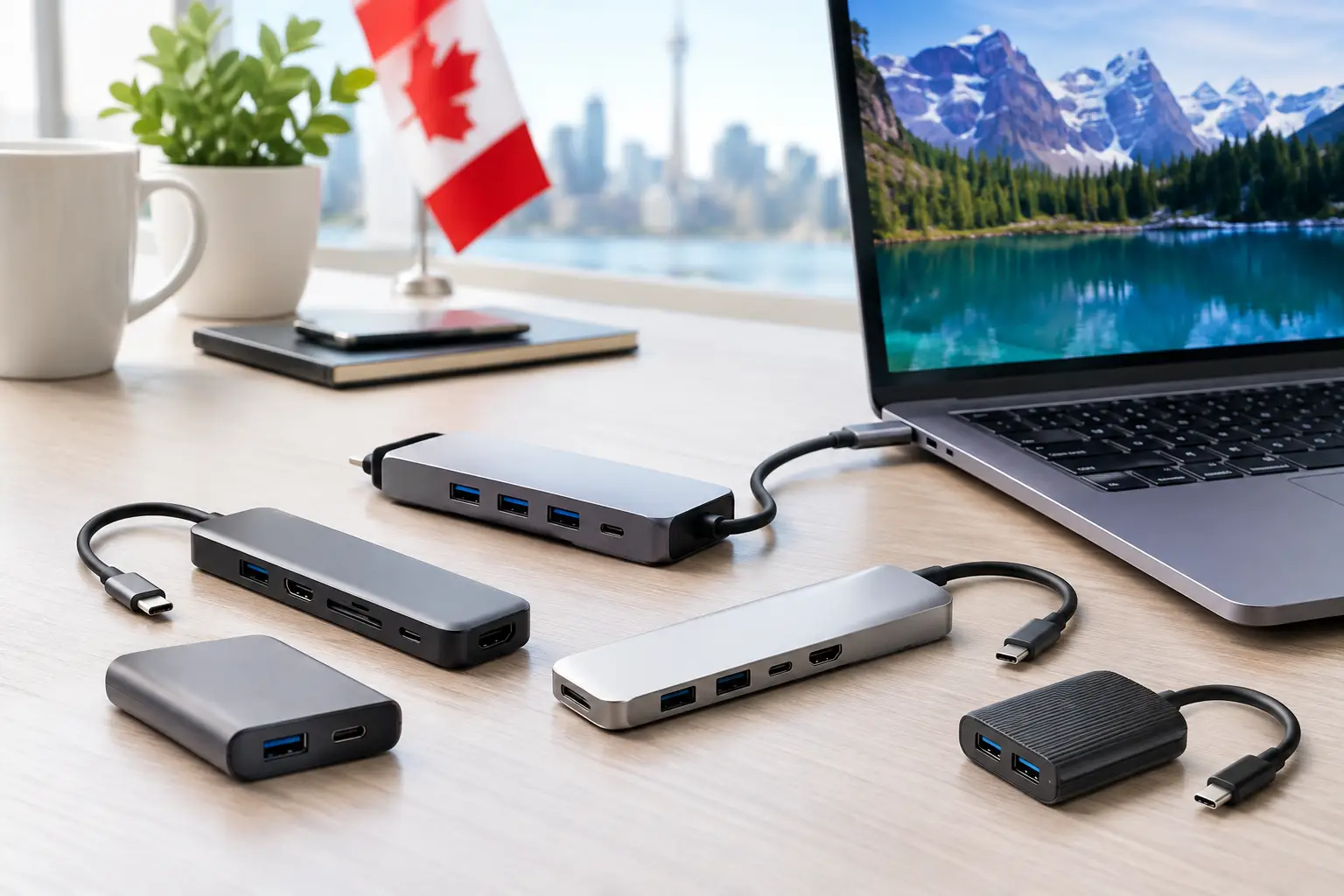
A thin laptop looks great until you need to charge it, connect a monitor, plug in a flash drive, and move photos from an SD card before class or a client call. The best compact USB-C hubs turn one little USB-C port into a practical desk or travel setup without filling your bag with adapters.
For Canadian shoppers, the sweet spot is not necessarily the hub with the longest port list. It is the one that supports the gear you actually use, fits your laptop or tablet properly, and leaves enough room in the budget for a good charger, cable, or monitor. Whether you are building a student workstation, upgrading a home office, or packing light for travel, here is what separates a great compact hub from a frustrating one.
What Makes a Compact USB-C Hub Worth Buying?
A compact USB-C hub should solve an immediate problem: missing ports. Most buyers need a mix of USB-A for older accessories, USB-C for newer gear, HDMI for a display, and pass-through charging so the laptop is not tied up by the hub itself. That sounds simple, but small differences in speed, display support, and power delivery can make a big difference.
The best value models are usually slim enough to tuck beside a laptop charger, yet substantial enough to avoid loose connections and cramped ports. Look for a short built-in USB-C cable with a strain-relieved connector, a metal or well-finished shell, and clear port labels. A hub does not need to feel premium-store expensive to feel dependable.
It also pays to think about your setup a month from now, not only today. If you currently use one external display but expect to add storage, a webcam, or a wired network connection later, buying a slightly more capable hub can prevent another accessory purchase.
8 Best Compact USB-C Hub Types to Shop
Rather than chasing one so-called perfect model, match the hub style to how you work. These are the most useful compact hub categories for everyday Canadian setups.
1. The everyday 5-in-1 hub
This is the easy choice for a MacBook, Windows ultrabook, Chromebook, or USB-C tablet. A typical 5-in-1 design includes HDMI, one or two USB-A ports, USB-C power delivery, and a USB-C data port or card reader.
It is ideal for students and casual home-office users who need a monitor, mouse, keyboard, and charging in one small accessory. Check that the HDMI port supports the resolution and refresh rate you want. For most work, study, streaming, and browsing, 4K at 30Hz can work, but 4K at 60Hz feels noticeably smoother for scrolling and general desktop use.
2. The travel hub with HDMI and USB-A
For frequent travel, compact size beats an overloaded port selection. A travel-ready hub with HDMI, USB-A, and USB-C charging handles hotel TV connections, presentations, a wireless mouse receiver, and laptop power without creating cable clutter.
Choose a hub with a short cable rather than a rigid side-mounted design unless you know it matches your device. Side-mounted hubs can look tidy on certain laptops, but their fit may be poor with a protective case and they are far less flexible across devices.
3. The SD and microSD creator hub
Photographers, drone users, and content creators should prioritize a reliable card reader. A hub with both full-size SD and microSD slots makes it easier to transfer files on location without carrying an extra reader.
Pay attention to the card-reader speed rating. Basic readers are fine for occasional phone photos and documents, while faster UHS-I or UHS-II support matters when moving large RAW photo sets or high-bitrate video. Keep expectations realistic: your camera card, laptop port, and hub all affect the final transfer speed.
4. The Ethernet hub for stable connections
Wi-Fi is convenient, but it can be unpredictable in apartment buildings, shared workspaces, online gaming sessions, and video calls. A compact hub with Gigabit Ethernet gives laptops without an Ethernet jack a simple wired option.
This is a smart pick for remote workers who regularly upload large files or need better call stability. It is also useful for gamers using a laptop in a room where wireless coverage is weak. Just remember that the hub cannot make an internet plan faster than it is, and your router or switch must support Gigabit speeds to get the full benefit.
5. The 100W pass-through charging hub
A hub with higher-wattage USB-C Power Delivery is a better match for larger laptops, power-hungry ultrabooks, and people who use displays and drives at the same time. Many models advertise 100W pass-through, but the laptop may receive slightly less because the hub uses a small amount of power for itself.
For example, a hub paired with a 65W charger may be perfect for a thin-and-light laptop but may not keep a high-performance machine fully charged during demanding work. Check your laptop’s recommended charger wattage before buying. The hub, cable, and wall charger all need to support the power level you expect.
6. The USB 3.2 hub for fast storage
External SSDs are one of the best upgrades for backing up photos, moving game files, and carrying work between locations. If that is your priority, look for USB ports labelled 5Gbps or 10Gbps rather than assuming every USB-C port is equally fast.
A compact hub may have a USB-C port used only for charging, not data. That is a common shopper surprise. Read the port descriptions carefully, especially if you want to connect an external drive, phone, or fast card reader through USB-C.
7. The dual-display compact hub
A second display can make a small laptop feel far more useful for spreadsheets, research, editing, and multitasking. Compact dual-display hubs are available, typically with two HDMI ports or HDMI plus DisplayPort.
Compatibility matters more here than almost anywhere else. Some Windows laptops can run two extended displays through a single USB-C connection, while some Mac models have display limitations depending on the chip and generation. Verify what your exact laptop supports before adding two monitors to your cart. A hub cannot bypass a device’s native display limits without extra display technology, which may introduce its own compromises.
8. The tablet and phone-friendly mini hub
Modern iPads, Android tablets, and some USB-C phones can work with keyboards, external storage, displays, and wired internet. A tiny hub with HDMI, USB-A, USB-C charging, and a card reader is an affordable way to make a mobile device more productive.
This setup is especially handy for families sharing photos, students taking notes with a tablet, or anyone who wants a lightweight entertainment station. Device support varies, so check whether your tablet or phone offers video output through USB-C before buying primarily for HDMI.
How to Choose Between Ports, Power, and Price
Start with the one job that matters most. If you need a monitor every day, prioritize HDMI capability. If you edit camera files, prioritize card-reader speed. If you work from a fixed desk, Ethernet and extra USB ports may be worth a slightly larger hub.
Then check power delivery. A low-cost hub can still be a great deal, but pairing it with an underpowered charger creates a weak setup. Use a quality USB-C charger rated for your laptop, and make sure the cable supports the required wattage. Many people blame the hub when the actual issue is an older charging brick or a basic cable.
Port spacing deserves attention too. Wide USB flash drives and wireless dongles can block neighbouring ports on ultra-compact hubs. If you often connect several accessories, a slightly wider layout is more convenient than the smallest possible option.
A Few Compatibility Checks Before You Shop
Before choosing from the best compact USB-C hubs, confirm that your device has a full-featured USB-C port. USB-C describes the connector shape, not necessarily its capabilities. A port may support charging but not video output, or it may offer slower data speeds than expected.
Check your laptop manual or manufacturer specifications for USB-C video output, Thunderbolt, USB4, DisplayPort Alt Mode, and charging support. You do not need every premium standard for everyday use, but knowing what your computer can do protects you from buying features it cannot use.
For Canadian buyers, consider your complete bundle price. A hub that looks like a bargain may require a separate higher-watt charger, HDMI cable, or Ethernet cable. On the other hand, a well-priced hub that replaces several small adapters can be one of the most useful accessories in your tech bag.
A compact USB-C hub is a small purchase that can make your laptop, tablet, or phone feel much more capable. Choose the ports you will reach for every week, leave a little room for future gear, and check the latest bundle or deal before you shop. The right pick keeps your setup simple, portable, and ready when you need it.