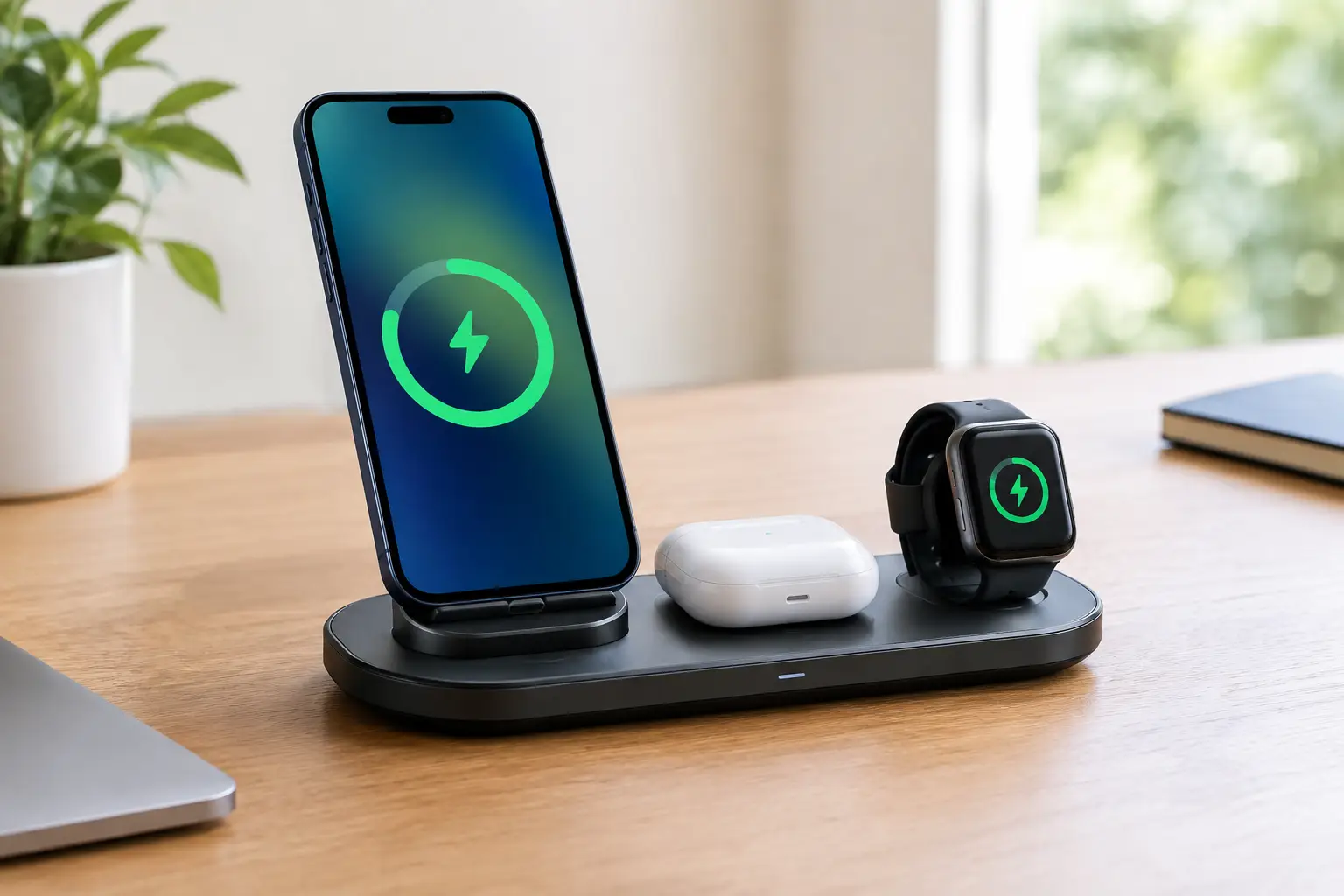
A bedside table can collect cables faster than it collects books. One lead for your phone, another for your earbuds, and a third for your smartwatch soon turns a useful space into a daily tangle. A wireless charger for multiple devices puts those essentials in one easy charging spot, making it a smart upgrade for bedrooms, desks, dorms, and family kitchens.
The best choice is not always the biggest charging pad or the one with the highest number on the box. It is the one that fits the devices you already use, charges them reliably, and makes your routine simpler without costing more than it should. Here is what Canadian shoppers should look for before adding a multi-device charger to the cart.
Why a multi-device charger earns its space
The immediate benefit is obvious: fewer cables on display. But the real value is consistency. When your phone, watch, and earbuds have a dedicated home, you are less likely to wake up with one of them at 12 percent because its cable slipped behind the nightstand.
For households sharing outlets, a charging station can also free up a power bar for laptops, lamps, and other gear. Students can keep their study desk clean. Professionals can leave a charger at work and stop carrying separate cables in a backpack. Families can create one central drop zone for compatible devices before bed.
There is a trade-off, though. A single charging station is convenient, but it can be less flexible than separate cables when you need to charge devices in different rooms. It is best for the gadgets that usually stay together, not necessarily every device you own.
Choose a wireless charger for multiple devices by compatibility
Start with your device mix. Most multi-device stands are designed around a phone, wireless earbuds case, and smartwatch. That sounds universal, but watch compatibility is where many shoppers get caught out.
iPhone, Apple Watch, and AirPods setups
Many popular 3-in-1 chargers are built for an iPhone, Apple Watch, and AirPods or another Qi-compatible earbuds case. A magnetic phone mount can be especially convenient for recent MagSafe-compatible iPhones because it helps the phone snap into the right position. It also lets you see notifications, alarms, or a morning weather update while charging.
Check whether the charger is officially MagSafe-compatible or simply magnetic and Qi-compatible. Both can be useful, but charging speed and magnetic alignment may differ. If fast iPhone charging matters, read the product details carefully instead of assuming every magnetic stand delivers the same wattage.
Android phones and wearables
Android buyers should focus on Qi compatibility and usable charging-area size. Many Samsung, Google, and other Android phones support wireless charging, but camera bumps, large cases, and off-centre coils can affect alignment. A flat pad may give you more placement freedom than a fixed magnetic stand.
Smartwatch charging is more specific. Apple Watch chargers generally do not charge Galaxy Watch, Pixel Watch, Garmin, or Fitbit models. Some stations include a USB port or open area where you can use your own watch puck, which can be a better option for mixed-device households.
Cases can change the answer
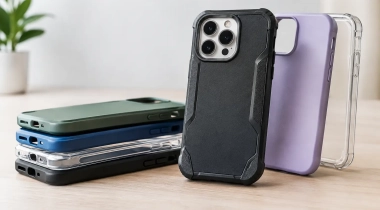
A phone case does not automatically prevent wireless charging, but thickness and materials matter. Slim plastic, silicone, and many standard protective cases usually work well. Metal plates, wallet cases, ring holders, and extra-thick rugged cases can block charging or create heat. If you like a bulky case, a charger with a raised, adjustable stand is usually a safer bet than a shallow pad.
The charging speed numbers that matter
It is tempting to choose the model advertising the largest wattage. That figure only tells part of the story. Wireless charging is typically slower and less efficient than a good wired USB-C charger, especially if the phone is not perfectly aligned.
For overnight charging, that may not matter at all. A reliable 7.5W, 10W, or 15W phone charging position can be plenty when your device sits on the stand for several hours. For a quick top-up before leaving the house, wired charging may still win.
Pay attention to the power adapter requirements. Some multi-device chargers include an adapter, while others include only a USB cable. A station that promises higher output may need a USB-C PD adapter of a particular wattage to reach it. Using an old, low-power adapter can lead to slow charging, intermittent charging, or a flashing indicator light.
If you are shopping for value, a bundled adapter can be worth more than a slightly lower sticker price on a charger that requires an additional purchase.
Pick the right style for your space
A charging station should improve your setup, not become another awkward gadget to work around. The right design depends on where it will live.
A vertical 3-in-1 stand is ideal for a nightstand or office desk. It takes up little room, keeps the phone screen visible, and separates each device so nothing gets buried. It is also a great choice for video calls or using the phone as a clock while it charges.
A flat charging pad is often better for a shared counter, travel bag, or minimalist workspace. It is simple to use and may accommodate different phone shapes more easily, but you need to place devices precisely. If the charger has three marked zones, make sure there is enough room for your actual phone and earbuds case.
Foldable travel chargers are worth considering for frequent flyers, commuters, and people splitting time between home and campus. They can turn into a stand at the hotel, then pack flat in a tech pouch. Just remember that compact models may be lighter, less stable, or more selective about cases.
Small features that make a big difference
The most useful charger features are often the least flashy. A weighted base keeps a stand from lifting off the table when you grab your phone. Non-slip feet stop it from sliding across a smooth nightstand. A soft charging surface helps protect a phone without a case.
Look for sensible heat management and safety protection against overcurrent, overvoltage, and foreign objects. Wireless charging naturally creates some warmth, but a charger should not become uncomfortably hot in normal use. Remove coins, keys, and other metal objects from the pad area, particularly when charging earbuds.
LED lights deserve a quick check, too. A small status light is useful during the day, but a bright blue light can be annoying beside the bed. Models with a dim or switchable indicator are a better fit for sleep spaces.
When a 2-in-1 charger is the better deal
Not everyone needs three charging spots. If you do not wear a smartwatch, a 2-in-1 stand for a phone and earbuds can be the better buy. It takes less space, generally costs less, and avoids paying for a watch dock that will sit unused.
The same logic applies when only one of your devices supports wireless charging. A compact phone stand paired with a high-quality wired cable for everything else may be more practical. The goal is not to remove every cable from your life. It is to remove the cables that create the most clutter.
For a family with mixed Apple and Android gear, one universal Qi phone pad plus a few well-placed USB-C cables can also beat a highly specialised 3-in-1 station. Convenience is personal, so shop for the routine you have rather than the picture-perfect setup in an ad.
A quick pre-buy check
Before choosing from the latest deals, confirm these details: your phone supports Qi or magnetic wireless charging, your earbuds case charges wirelessly, and the watch dock matches your watch model. Then check whether the required power adapter is included and whether your everyday case is likely to fit.
Also consider where the charger will sit. Measure a crowded nightstand, look at the available wall outlet, and think about cable length. A good charging station feels almost invisible once it is in place because it makes every evening and morning easier.
A wireless charger is one of those small tech buys that can improve the way a whole space works. Choose one that matches your devices, your case, and your daily habits, then give your most-used gadgets a dependable place to land each night.